
Wedding planning tools should make decisions easier to see, share, and finish. They should not create another full-time job for the couple. The best setup is usually a small, connected system rather than a collection of beautiful apps that each hold one tiny piece of information. If your budget lives in a spreadsheet, guest replies arrive by text, vendor details are buried in email, and your timeline is saved in three different places, planning will feel harder than it needs to be.
This guide helps you choose wedding planning tools around the outcome you need: one reliable place for the current plan, clear ownership for every task, and a simple weekly rhythm that keeps the wedding moving. You can build the system with free tools, a dedicated app, a workspace, a planner, or a combination. The important part is deciding what each tool owns before you start entering information.

Use this as a setup checklist. Start with the essentials, add only what solves a real planning problem, and leave room for the way your wedding actually works. A smaller system that both partners open every week is more useful than a sophisticated system that only one person understands.
Start with one source of truth
Before comparing wedding planning tools, choose the place that will hold the current version of your plan. This is your source of truth. It can be a Google Sheet, a planning app, a workspace such as Notion, or a shared planning platform. The format matters less than the agreement that everyone checks this place before making a decision or asking for an update.
Your source of truth should answer five questions quickly. What has been decided? What needs a decision? Who owns the next action? What has been paid or signed? Where is the supporting document? If a tool cannot help you answer those questions, it may still be useful for inspiration, but it should not become the main operating system for your wedding.
Keep the first version simple. Create a home page or first tab with the wedding date, venue status, current guest estimate, working budget, next three decisions, and links to the main sections. Add a last-updated date and a short note about who made the latest change. This small habit prevents the familiar question, “Which version are we using?”
- Choose one shared home for the current plan.
- Give every major category one clear owner.
- Link documents instead of uploading duplicate copies everywhere.
- Record decisions, not only tasks.
- Review the system together on the same day each week.
Think of the source of truth as a control panel, not a scrapbook. Inspiration boards are valuable, but they should point toward decisions. A saved floral arrangement becomes useful when it is connected to a floral budget, a style note, and a question for the florist. A venue photo becomes useful when it is connected to capacity, rain-plan details, accessibility, and a contract deadline.
If you are working with a planner, ask which information they need to see and how they prefer to receive updates. A professional may already have a system. Your shared home can remain the couple’s overview while the planner’s system handles production details. Agree on the handoff so you do not maintain two competing timelines.
Build the five essential planning tools
Most couples need the same five planning functions, even when their weddings look completely different. You need a budget, a checklist and timeline, a guest list, a vendor tracker, and a document hub. These can be five tabs in one spreadsheet, five pages in a workspace, or connected areas inside a dedicated app. Start with the functions, then choose the format.
1. A budget tool that shows commitments
A useful wedding budget tool does more than add numbers. It shows the difference between an estimate, a contracted amount, a payment already made, and the amount still due. Include categories such as venue, catering, photography, attire, flowers, music, stationery, rentals, transportation, beauty, lodging, ceremony costs, service fees, taxes, tips, and a contingency reserve.
Use one row per meaningful cost. Helpful columns include category, vendor, estimate, contracted total, paid, balance, payment date, payment method, and notes. Add a column for whether the price includes tax and service charges. These details protect you from the false comfort of a low initial quote.
Set a weekly budget check that takes fifteen minutes. Update new quotes, mark deposits, compare the remaining balance with the cash you expect to have available, and identify one decision that could change the total. If the budget tool is shared, both partners can see the trade-offs without one person becoming the only financial translator.
2. A checklist and timeline for dependencies
Your checklist should show what must happen, when it matters, and what depends on it. A task such as “order invitations” is not complete until the guest list is ready, addresses are checked, wording is approved, and the printer’s lead time is confirmed. Add a due date, owner, status, priority, and dependency to each important task.
Organize the timeline by planning phase instead of treating every task as equally urgent. Begin with the first decisions: budget range, guest count, location, date, and ceremony priorities. Then move to venue and key vendor bookings, guest communication, design and attire, final confirmations, and wedding-week logistics. A phase-based view helps you see what deserves attention now.
Use two timelines, not one. The planning timeline covers the months before the wedding. The wedding-day timeline covers arrival, setup, ceremony, portraits, transportation, meals, speeches, and teardown. Keep the day-of version easy to print and easy to hand to vendors. It should not depend on a complicated dashboard or a password that only one person has.
3. A guest list tool that tracks people and replies
A guest list is both a people record and a planning forecast. Track household name, individual names, address, email, phone, invitation status, RSVP status, meal choice, dietary needs, accessibility needs, plus-one information, children, and notes that matter to the day. Keep sensitive information limited to the people who need it.
Use clear statuses such as proposed, invited, replied yes, replied no, follow-up needed, and final. Do not mix a wish list with a confirmed count. When the guest count changes, update the budget and venue assumptions as well. Catering, rentals, stationery, transportation, and seating all depend on this number.
Decide who sends follow-ups and when. A shared guest list becomes stressful when two people contact the same relative or when nobody knows whether an unanswered invitation is being handled. A simple owner column and a follow-up date can turn an emotional task into a manageable one.
4. A vendor tracker for decisions and contracts
The vendor tracker should help you compare options before you sign and manage obligations afterward. Include vendor type, business name, contact person, website, quote, availability, contract status, deposit, balance, next action, meeting date, and notes from the conversation. Add a link to the contract and a reminder for the next payment or deliverable.
Use the same questions for comparable vendors. Ask what is included, what costs extra, how many hours are covered, who will be present, what happens if the date changes, and when final details are due. Consistent questions make it easier to compare value instead of choosing the most attractive presentation.
Once a vendor is booked, move them from comparison mode to production mode. Record the agreed package, important preferences, arrival time, meal requirements, insurance or licensing needs, and the person responsible for communication. This distinction keeps old quotes from being mistaken for current commitments.
5. A document hub that supports the handoff
Create a consistent folder structure before files multiply. A practical system might include 01 Budget, 02 Venue, 03 Vendors, 04 Guests, 05 Design, 06 Ceremony, 07 Wedding Week, and 08 Final Handoff. Use simple file names with the vendor, document type, and date. For example, “Cedar-Hall-contract-signed-2026-09-14” is easier to find than “final final contract.”
Keep the signed contract and the latest working notes together, but label them clearly. Separate reference material from action items. If you save five inspiration images, add one sentence explaining what you are taking from them. This protects the system from becoming a storage space full of attractive files and no decisions.
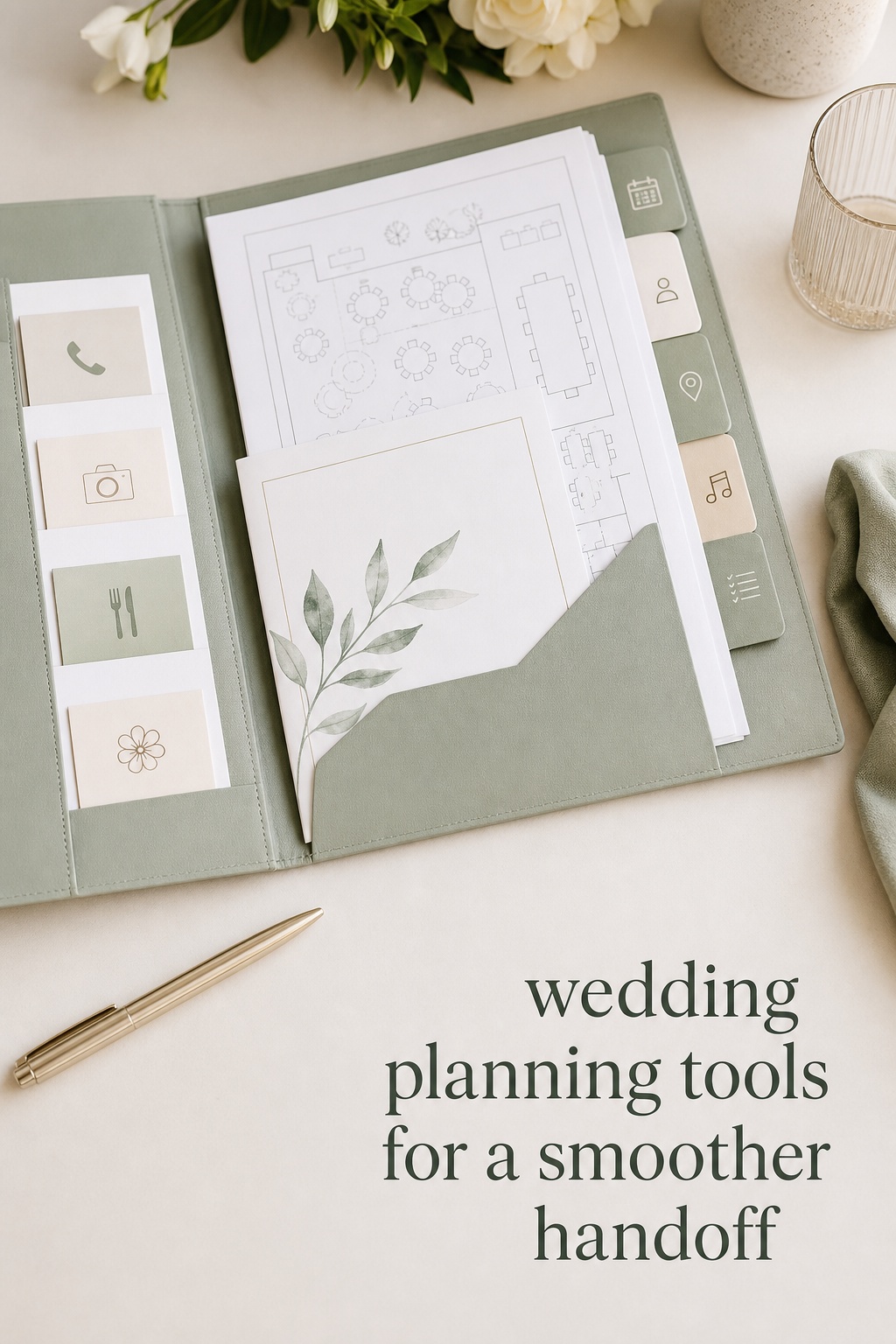
As the wedding approaches, prepare a final handoff folder. Include the day-of timeline, vendor contacts, floor plan, guest count, seating plan, meal notes, transportation details, ceremony order, emergency contacts, payment reminders, and venue rules. The person managing the day should be able to use it without asking the couple to search through messages.

Choose the right format for your planning style
There is no single best wedding planning tool for every couple. Choose based on how you make decisions, how much collaboration you need, and whether your wedding has unusual logistics. The goal is a format that feels natural enough to use consistently.
A spreadsheet is a strong choice when you want flexibility, formulas, easy exports, and low cost. It works especially well for budgets, guest counts, vendor comparisons, and deadlines. Use consistent column names, protect formula cells, and add filters. A spreadsheet becomes difficult when every person creates a new tab for every thought, so set naming rules from the beginning.
A dedicated app can be useful when you want guided checklists, reminders, a wedding website, RSVP tools, or a built-in seating chart. Before committing, check whether you can export your data, invite collaborators, control privacy, and see the information you need without paying for several separate upgrades. The most polished interface is not helpful if the core data is hard to retrieve.
A flexible workspace can suit couples who want notes, tables, links, and decisions in one place. It offers room for a detailed vision board, vendor notes, and meeting agendas. The risk is overbuilding. Use a few repeatable templates rather than designing a new page for every category.
A planner or coordinator adds judgment, vendor knowledge, schedule management, and accountability. Even if you use your own wedding planning tools, professional support can reduce the number of decisions you must personally carry. Ask what system they use, what you will be expected to maintain, and how information will be shared before the wedding week.
- Choose a spreadsheet if you value control and simple formulas.
- Choose an app if reminders and guided workflows keep you moving.
- Choose a workspace if notes and connected references matter most.
- Choose planner support if vendor coordination is the main source of stress.
- Combine formats only when each one has a clearly different job.
If you want a more structured shared command center, The Wedding Command Center can be a useful planning resource to consider alongside your main budget and guest records. The value of any command center comes from making the next action visible, so choose a setup that matches the information you are genuinely willing to maintain.

Make your tools work together every week
The difference between a collection of wedding planning tools and a working system is the operating rhythm. Set one weekly planning meeting, even if it lasts only twenty minutes. Start by reviewing the date and the next deadlines. Then update the budget, guest list, vendor tracker, and checklist. Finish by choosing the next three actions and assigning an owner to each.
Keep the meeting focused on decisions and actions. Do not spend the entire session browsing inspiration. If you need to make a design decision, define the question first. For example, “Which of these two ceremony layouts works with the venue’s rain plan?” is more useful than “What should the ceremony feel like?” Clear questions help you move from taste to choice.
Create a decision log for choices that may be revisited. Record the decision, date, reason, cost effect, and who needs to know. This can prevent repeated conversations about the guest count, menu, ceremony timing, or design direction. It is also helpful when a family member joins the planning later and needs context.
Give each partner an area of real ownership. Ownership means noticing the next step, contacting the person involved, updating the tool, and raising a problem early. It does not mean one partner assigns every task while the other waits for instructions. A balanced system makes the invisible work visible and allows both people to contribute in a way that fits their strengths.
Use reminders for deadlines that have consequences, not for every possible task. Payment dates, invitation mailing, RSVP cutoffs, final counts, license appointments, and vendor arrival confirmations deserve alerts. Too many reminders create noise and make important messages easier to ignore.
Review your system after each major milestone. After booking the venue, update the budget, guest capacity, timeline, and vendor priorities. After sending invitations, update the guest workflow and follow-up dates. After finalizing the seating plan, update the caterer, rentals, venue, and day-of documents. A decision is complete only when its downstream information is updated.
- Monday: review deadlines and payment dates.
- Midweek: complete vendor questions and guest follow-ups.
- Weekend: hold the shared planning meeting and update the source of truth.
- After every decision: check the budget, guest count, timeline, and documents for related changes.
Protect your attention by setting a planning boundary. You might keep wedding messages and updates in one shared email label, use a dedicated calendar, or choose a weekly time when vendors can expect replies. Organization should create more room for your life, not make the wedding present in every conversation.
Common mistakes and a final setup checklist
The first mistake is collecting tools before defining the problem. A new app cannot fix an unclear guest policy or an unrealistic budget. Write down the friction you want to remove, then choose the simplest tool that addresses it.
The second mistake is duplicating the same information. If the guest count appears in the app, spreadsheet, email thread, and a printed notebook, decide which version is authoritative. Links can connect systems, but duplicate manual entries become unreliable quickly.
The third mistake is hiding the work inside private notes. Shared planning does not mean every detail must be visible to everyone, but decisions that affect the budget, schedule, guest experience, or vendor instructions should be accessible to the people responsible for them.
The fourth mistake is ignoring the wedding-day user. The couple may understand every page, but a coordinator, sibling, friend, or venue contact may need the key information under pressure. Build the final handoff for someone who has not followed every conversation.
Before you settle on your wedding planning tools, run this final check:
- We have one shared source of truth.
- The budget shows estimates, contracts, payments, and balances.
- The checklist includes owners, dates, priorities, and dependencies.
- The guest list separates proposed guests from confirmed replies.
- The vendor tracker links contracts and records the next action.
- The document hub has clear folders and file names.
- Both partners know how to find the current plan.
- Our weekly review has a regular time and a short agenda.
- We can export or print the information needed for the wedding day.
- We know which tool to stop using if it creates duplicate work.
Good tools do not remove every decision from wedding planning. They give each decision a home, a deadline, and an owner. That structure lets you spend less energy searching for information and more energy choosing what will make the celebration feel like yours.
FAQ
What are the most useful wedding planning tools?
The most useful wedding planning tools are a budget tracker, checklist and timeline, guest list, vendor tracker, and shared document hub. Put them in one app, workspace, or spreadsheet system so key information is easy to find and update.
Can I plan a wedding with free tools?
Yes. A shared spreadsheet, calendar, cloud folder, and video meeting platform can cover the essential planning functions at no cost. The important investment is agreeing on one source of truth and maintaining it consistently.
Is a wedding planning app better than a spreadsheet?
Neither is automatically better. An app may provide reminders, guided checklists, RSVPs, and a wedding website, while a spreadsheet offers flexibility and easy customization. Choose the format that both partners will open, understand, and update.
How many wedding planning tools should a couple use?
Start with one shared home and the five essential functions: budget, timeline, guests, vendors, and documents. Add another tool only when it solves a specific problem without creating duplicate information or extra maintenance.
How do we share wedding planning tasks fairly?
Assign ownership rather than isolated chores. The owner notices the next step, contacts the right person, updates the shared tool, and flags a problem. Review the workload together so emotional, administrative, and communication tasks are visible.
What should be in a wedding planning spreadsheet?
Include tabs for the budget, checklist and timeline, guest list, vendors, and documents or links. Add columns for status, owner, due date, payment or contract information, and notes. Keep the first version practical instead of filling it with unnecessary formulas.
When should we prepare the wedding-day handoff?
Start the handoff folder when the main vendors are booked, then update it after each major decision. Aim to finalize the timeline, contacts, floor plan, guest details, payments, and venue instructions several weeks before the wedding.
Leave a Reply